
Right after a collision, details blur and stress spikes—precisely when clear evidence matters most. That’s where dash cam footage for an insurance claim earns its keep. At Auto Stars Collision & Mechanic in Richmond Hill, Ontario, we help drivers turn raw clips into usable proof: properly saved, time-stamped, and shared in the format adjusters prefer. In this guide, you’ll learn how to secure, preserve, and present dash cam footage for an insurance claim—step by step—along with common mistakes to avoid, file-format tips, and how shops like ours can support your case with repair estimates that align with the video timeline.
First Things First: Safety, Notes, and Quick Evidence
After ensuring everyone is safe and calling the authorities if needed, do a quick evidence sweep. Photograph vehicle positions, road signs, and damage close-ups. Swap insurance information and gather witness contacts. These basics complement your video and help the story hold together when an adjuster reviews your file.
If your camera loops continuously, lock the clip immediately to prevent overwrite. Many dash cams have an “emergency” button; if yours doesn’t, power it down until you can save the file.
Securing Dash Cam Footage for an Insurance Claim: The Golden Hour
The sooner you secure the clip, the cleaner your record.
- Stop Overwrite Loops: Remove the SD card or toggle “protect” so the camera doesn’t record over the incident.
- Copy, Don’t Move: Create two digital copies (primary and backup) without altering the original file name or metadata.
- Record the Context: Note date, time, location, weather, and any relevant roadworks or signage; keep this with your footage.
Even small steps—like writing down a cross street—make dash cam footage for an insurance claim more persuasive because they support what the adjuster sees.
File Formats, Metadata, and Time Stamps
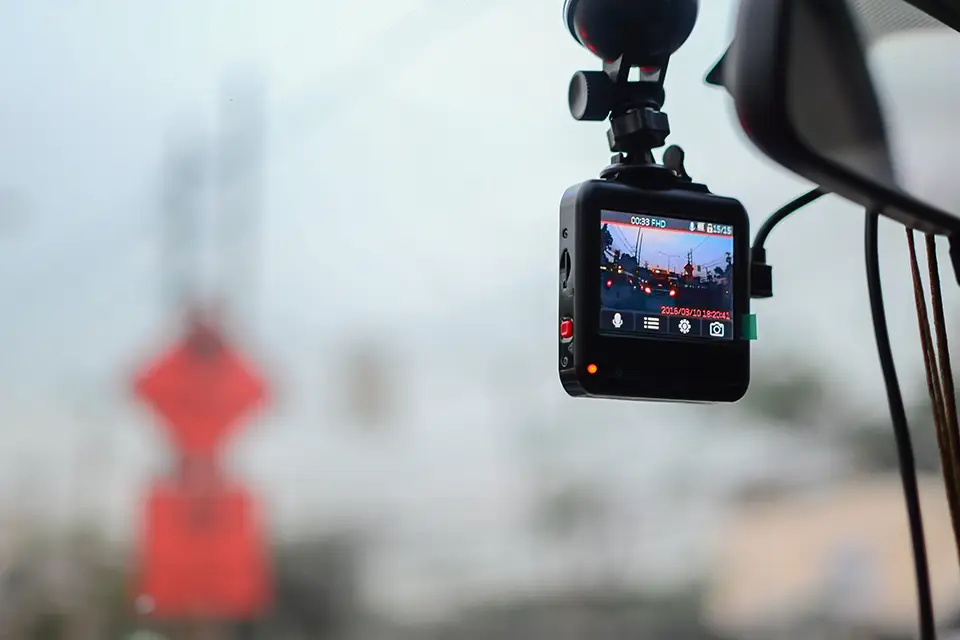
Most cameras save to MP4, MOV, or AVI. MP4 is widely accepted and usually offers a good balance of quality and file size. Retain the original file straight from the SD card; avoid editing, trimming, or converting before the insurer reviews it. If your camera supports GPS stamping, leave it on—speed and location data can clarify events.
Do check your camera’s clock. If the time zone or daylight saving setting is off, annotate the discrepancy in your incident notes. Clear, consistent time data keeps dash cam footage for an insurance claim aligned with police reports and call logs.
Building a Clear Evidence Package with Dash Cam Footage for an Insurance Claim
Adjusters love organized submissions. Package your files so the timeline is obvious.
- Include Pre- and Post-Impact Clips: Send 30–60 seconds before impact and 30–60 seconds after, if available.
- Add Still Frames: Export 3–5 key screenshots (impact moment, traffic lights, signalling) labelled in order.
- Create a Brief Index: A one-page PDF listing file names, durations, and a single-sentence description per clip.
This tidy bundle helps your dash cam footage for an insurance claim get reviewed faster—and with fewer follow-up emails.
Chain of Custody: Keep It Clean
While you’re not building a courtroom case, think like one. Keep the original clip unchanged and store it on two separate drives (or a drive plus a reputable cloud). Log who has accessed the file (you, your insurer, your repair shop) and when. If you must compress the video for email, keep the original untouched and name the compressed version clearly (e.g., “Copy_Compressed_For_Submission.mp4”).
A simple, honest chain of custody preserves trust. When the adjuster knows exactly where the clip came from and that it hasn’t been altered, your dash cam footage for an insurance claim carries more weight.
Sharing Dash Cam Footage for an Insurance Claim: Practical Submission Tips
Every insurer has a preferred intake method. Before sending, call or check your portal for size limits.
- Use Secure Links: Cloud links with view/download permissions beat oversized email attachments.
- Provide a Short Cover Note: Identify policy number, claim number, vehicle, and a one-paragraph summary of what the clip shows.
- Confirm Receipt: Ask the adjuster to acknowledge that the files play on their end, and keep that confirmation in your records.
A quick confirmation prevents delays and ensures your dash cam footage for an insurance claim is actually usable—not stuck behind an IT firewall.
What Dash Cams Do (and Don't) Prove
Video is powerful, but it’s one piece of the puzzle. It shows relative positions, traffic signals, and movement; it does not automatically assign legal liability. Context, such as right-of-way, signage outside the frame, and driver statements, still matter. Likewise, audio—if recorded—should remain unedited. Even silence communicates continuity.
Be candid with your insurer about what the clip does not show (for example, the other car’s turn signal just outside the frame). Credibility boosts the overall value of your dash cam footage for an insurance claim.
How a Repair Shop Strengthens Your File (Local Value)
At Auto Stars Collision & Mechanic in Richmond Hill, we document damage in a way that lines up with your video timeline: pre-wash photos, measurement sheets, and a written estimate that explains which parts were damaged and why. When repairs, parts orders, and supplement notes match what’s visible in your clip, the claim often moves more smoothly. We can also provide progress photos so your adjuster sees hidden damage discovered during tear-down—again, consistent with the sequence captured by your dash cam.
Timelines and Communication: Keep Momentum
Ontario insurers typically aim to respond promptly once a claim is opened, but back-and-forth can stretch timelines. Send your footage within 24–48 hours if possible. Log every call, email, and portal upload with dates. If you’re waiting on a response, a polite check-in referencing your file index (e.g., “Clip 02: intersection approach”) makes it easy for the adjuster to find the right moment.
That steady communication—paired with well-organized dash cam footage for an insurance claim—reduces avoidable delays.
Common Pitfalls (and How to Avoid Them) with Dash Cam Footage for an Insurance Claim
A few missteps can weaken good evidence. Avoid these:
- Editing the Clip: Trimming or adding captions can raise questions. Send the original plus any labelled copies.
- Letting the Camera Overwrite: Pull the card early; looping can erase key seconds.
- Sending Without Context: A no-note video forces guesswork; include your one-page index and cover note.
- Low-Res Exports Only: If you compress for email, also provide a link to the full-resolution file.
Simple fixes keep your dash cam footage for an insurance claim credible and easy to use.
Conclusion
In the stressful hours after a collision, clarity is a gift—to you and your insurer. When your clip is protected, labelled, and shared with a brief index, your dash cam footage for an insurance claim can speed up decisions and reduce disputes. If you need help pairing strong video evidence with a clear, line-item repair plan, Auto Stars Collision & Mechanic in Richmond Hill is ready to assist. We’ll photograph, estimate, and document your vehicle so the story your dash cam tells is backed by professional repair records—start to finish.
FAQs — Dash Cam Footage for an Insurance Claim
Will my insurer automatically accept dash cam footage for an insurance claim?
Most insurers will review relevant video, but acceptance depends on clarity, completeness, and whether the clip appears unaltered. Provide the original file, brief index, and still frames to make the review straightforward.
Can I submit only the exact impact moment?
Send more than the impact. Include 30–60 seconds before and after so the adjuster can see approach speeds, signals, lane positions, and driver behaviour. This context makes dash cam footage for an insurance claim more persuasive.
What if my dash cam time stamp is wrong?
Note the correct time in your cover note and explain the setting issue (e.g., daylight saving). Keep the original file intact and provide supporting context (police report time, 911 call log) to align the records.